How to View Your Pet's Heart Rate on WAGGURACY
PHAST 1's heart rate monitoring feature allows you to keep a close eye on your pet's heart rate, providing valuable insights into their health and well-being.
Here's a brief guide on how to check your pet's heart rate using WAGGURACY:
Open the WAGGURACY App:
Start by downloading and installing the WAGGURACY app on your smartphone, then log in to your account.
Select Your Pet:
Within the app, navigate to your list of registered pets.
Access Your Pet's Health Data:
Click on the name or image of the pet you want to monitor to access their profile.
View Heart Rate Data:
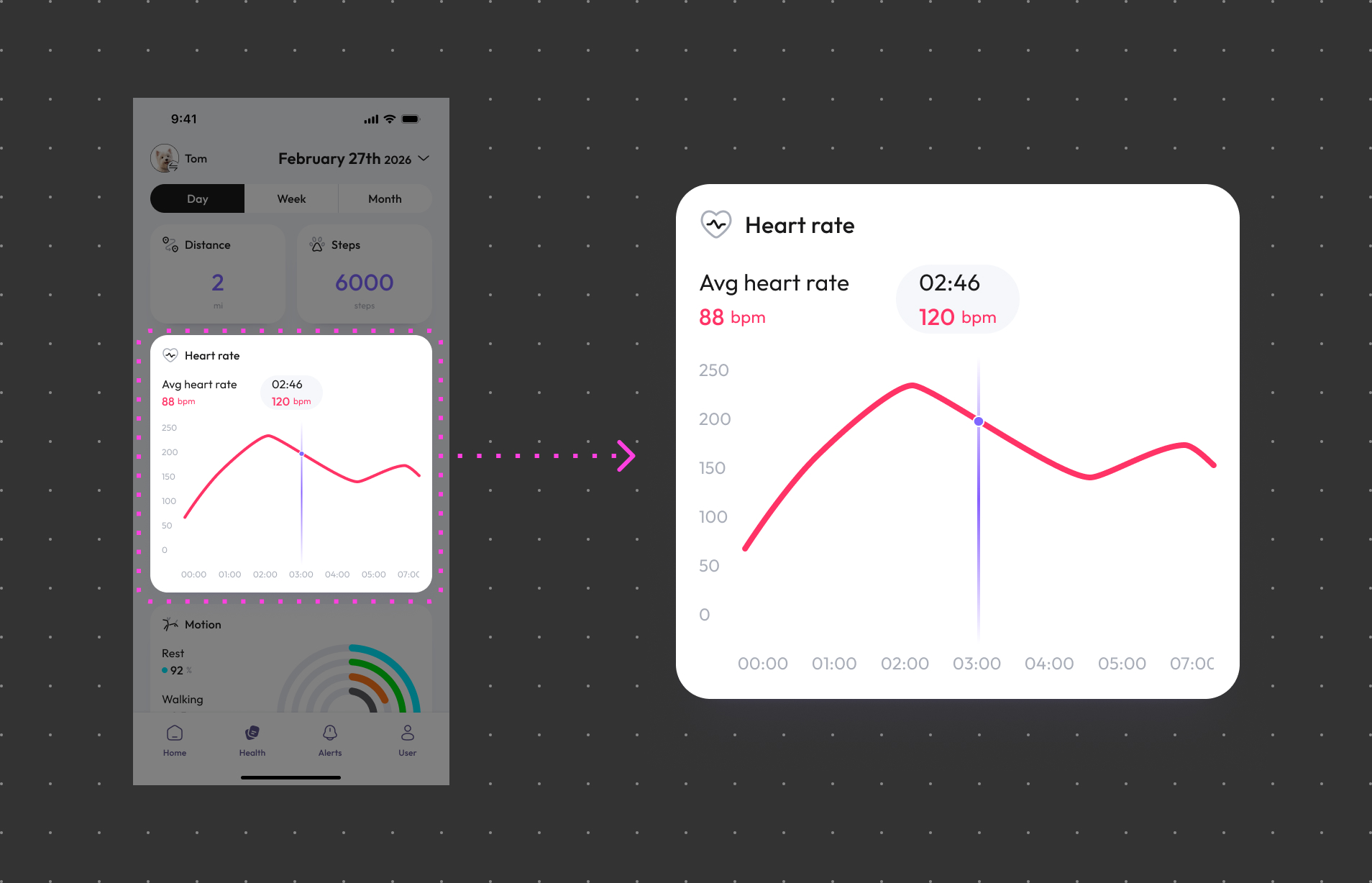
On Health page, you can find information about their real-time heart rate, typically displayed as beats per minute (bpm), allowing you to see your pet's current heart rate at any time.
Set Up Heart Rate Alerts:
You may have the option to configure heart rate alerts, so you'll receive notifications if your pet's heart rate becomes abnormal, allowing you to take action.
Health Trends:
The app typically provides insights into your pet's heart rate trends and historical data, helping you track their cardiovascular health over time.