Factory Reset
PHAST 1 occasionally require a factory reset to restore them to their original settings.
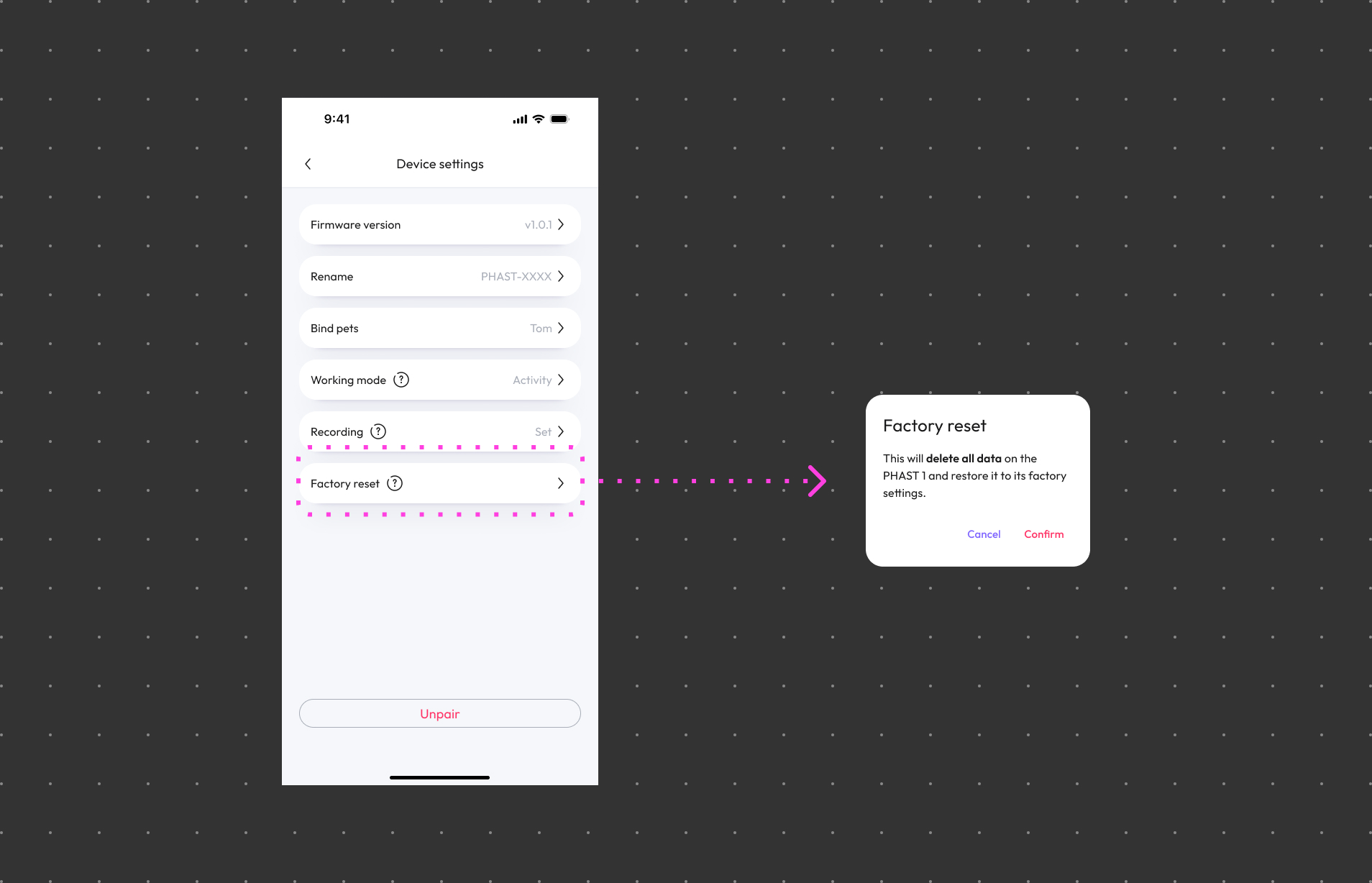
Follow the steps to factory reset your PHAST 1:
Step 1: Open the WAGGURACY App
Launch the WAGGURACY app on your smartphone. Log in to your account.
Step 2: Access Device Settings
Tap User > Device Card > Setting
Step 3: Choose Factory Reset
Tap Factory reset
Step 4: Confirm the Action
Confirm your intention to factory reset.
After the factory reset is completed, you'll need to reconfigure the device from scratch. This include pairing it with the app, and other initial setup steps.
Important Tips:
- Keep in mind that performing a factory reset will erase all data and settings on your PHAST 1, essentially returning it to its original state as if it were brand new. Only perform a factory reset when necessary, and be aware of the consequences.