Binding, Unbinding, and Switching Devices for Pets
In WAGGURACY, you can easily bind, switch devices for your pets to track and monitor their activities.
Here are the steps to perform these actions:
Binding a Device with a Pet:
Open the WAGGURACY App:
Launch the WAGGURACY app and log in to your account.
Access the Device List:
Tap User to view your connected device list.
Select the Device to Bind:
Tap Device Card choose the device you want to assign to a specific pet.
Assign to a Pet:
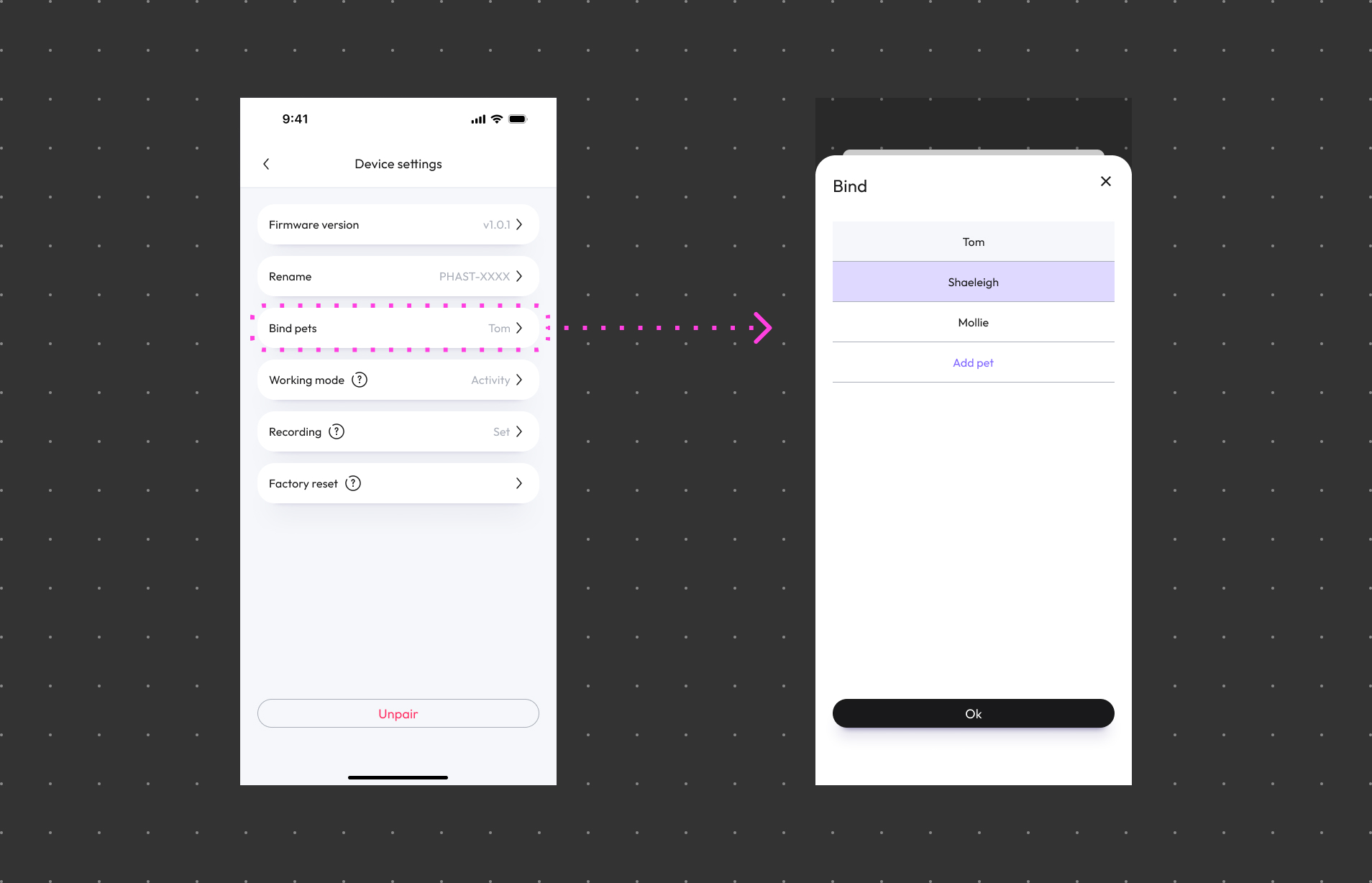
Tap Setting > Bind pets
Choose a Pet:
You can select the pet you want to bind with the device from your list of pets.
Save Settings:
After making your selection, save the device-to-pet binding settings. Your device is now linked to the chosen pet.
Switching a Device to Another Pet:
Bind with Another Pet:
You can follow the Binding a Device with a Pet steps to choose another pet and associate the device with him/her.
By following these steps, you can effortlessly manage your WAGGURACY devices and ensure they are bound with the right pets for accurate tracking and monitoring.