Types of Settings
WAGGURACY offers a range of general settings that allow you to customize the app according to your preferences and needs. These settings enhance your experience in managing and caring for your pets.
Here's a comprehensive overview of the WAGGURACY general settings:
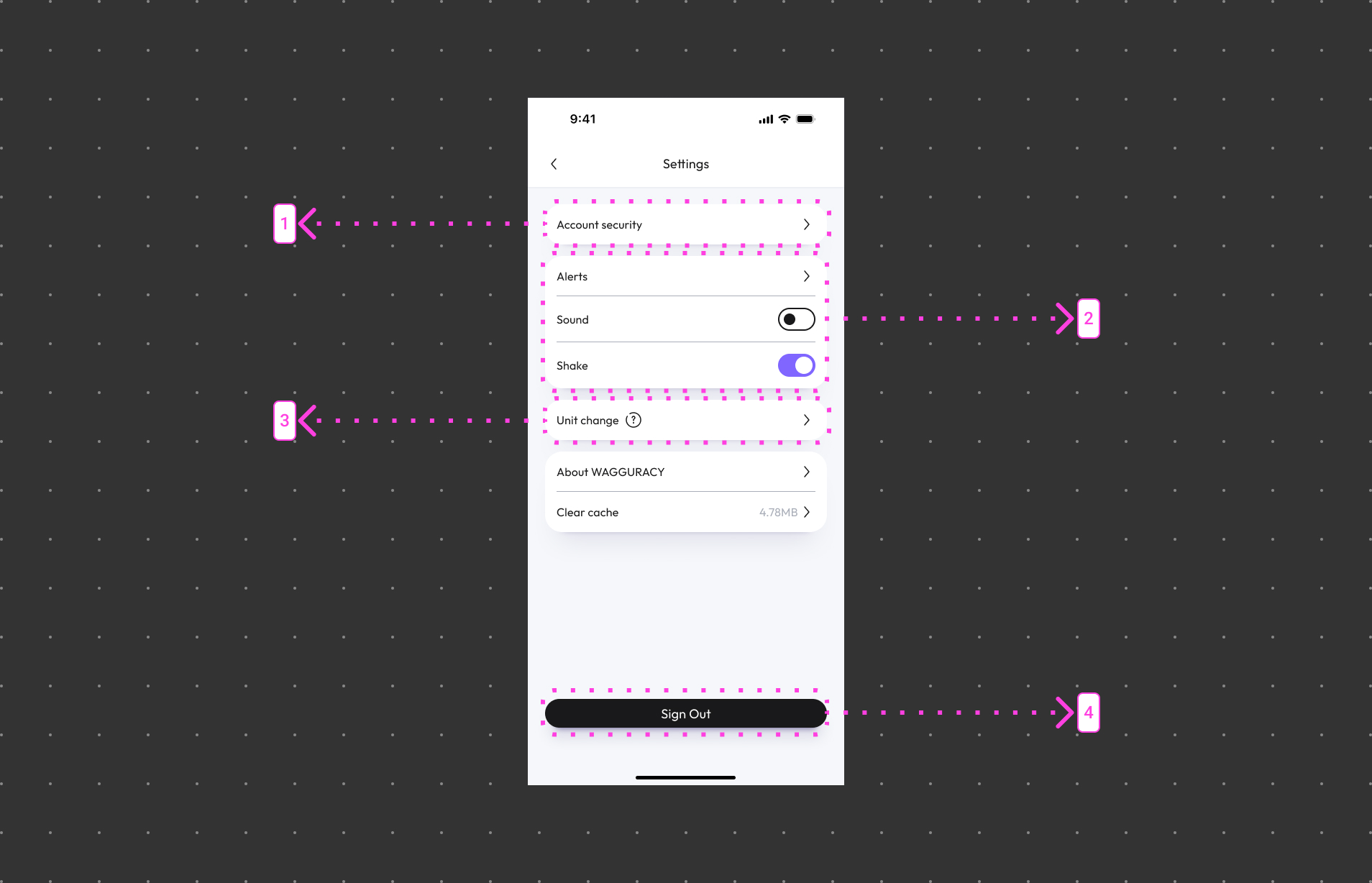
Accessing General Settings:
Open the WAGGURACY App:
Download and open the WAGGURACY app, and ensure you are logged into your account.
Navigate to Settings:
Tap User > Setting
General Settings:
Find the general settings category and explore the various options available.
Adjust Settings:
Customize your settings based on your preferences by toggling switches, and selecting options.
By utilizing the general settings in the WAGGURACY app, you can personalize your experience, optimize functionality, and ensure your pet management journey is both enjoyable and efficient.