PHAST 1 Information
WAGGURACY offers a range of innovative devices designed to help you track and care for your beloved pets.These devices come equipped with various features that ensure the well-being and safety of your furry companions.
Below is a brief overview of the device information and settings available within the WAGGURACY ecosystem:
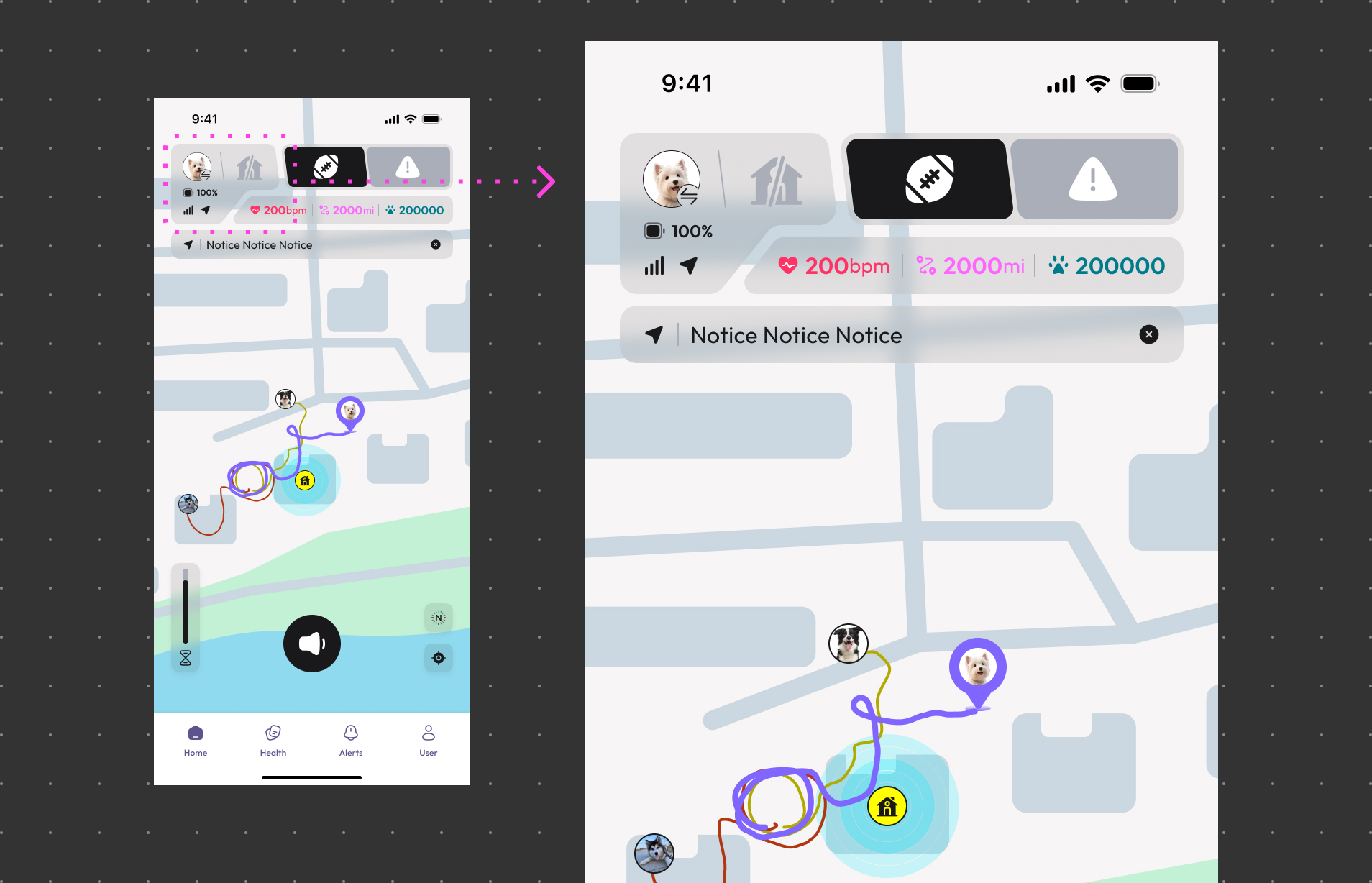
Signal Strength:
View the 4G signal strength of PHAST 1 to ensure stable and reliable communication.
Battery Level:
View the battery status of PHAST 1 to ensure it remains operational at all times.
Working mode
View PHAST 1 Working mode .
GPS Status:
View the GPS Status of the PHAST 1.
PHAST 1 Settings
Keep your device up to date with the latest features and improvements by performing firmware updates.
Petority devices occasionally require a factory reset to restore them to their original settings.
Light Settings, Sound Choices, and Personalized Pet Recall.By adjusting these settings, you can better manage and protect your pet.
How to Access Device Information and Settings:
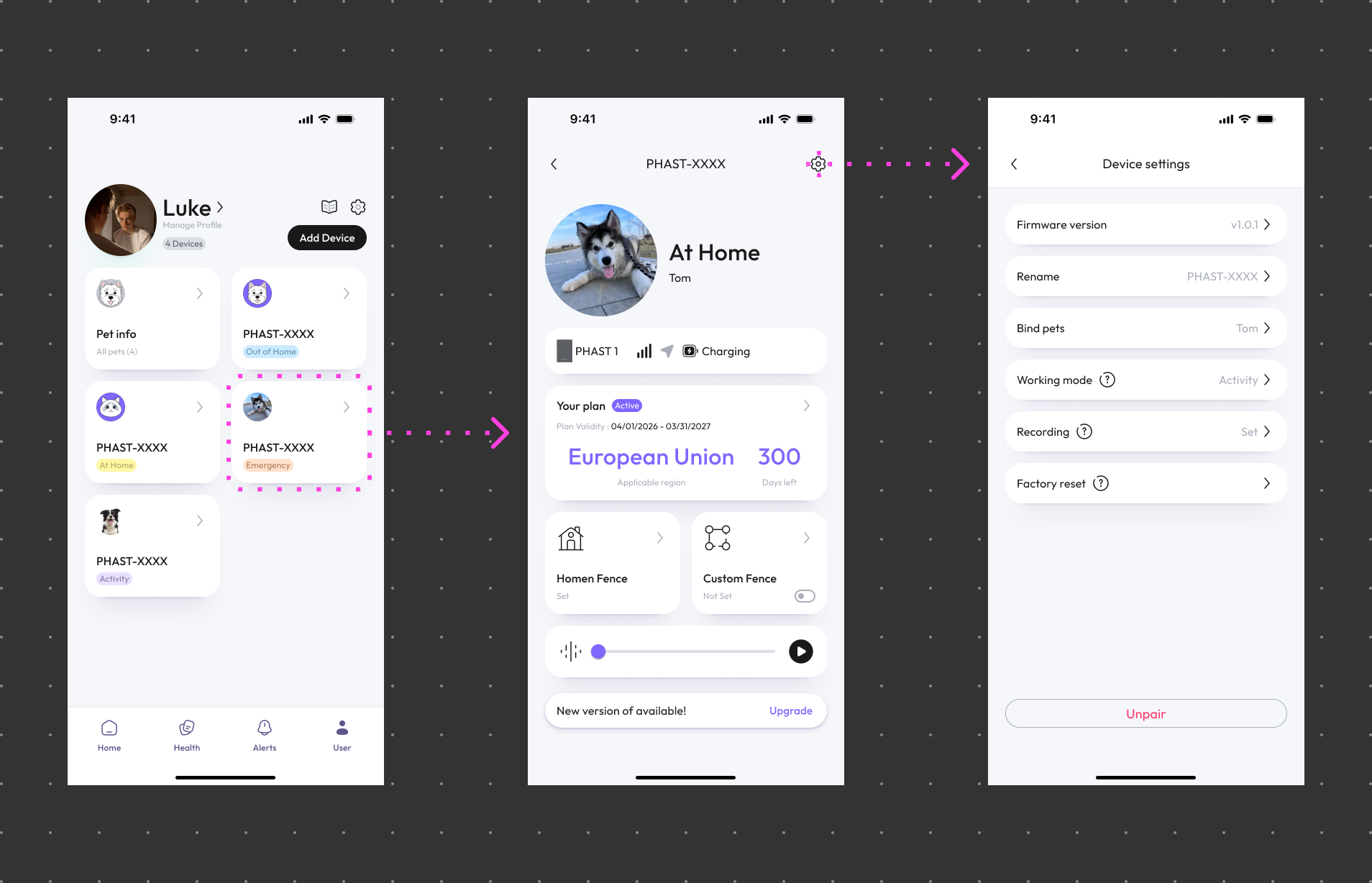
Open the WAGGURACY App:
Download and launch the WAGGURACY app on your smartphone.
Device List:
Tap User > Device Card
Device Details:
View essential information about the device, such as battery level and signal strength.
Device Settings:
Tap the Setting section to configure various options based on your pet's needs.
Important Tips:
- Regularly check the device's battery level to ensure uninterrupted functionality.
- Perform firmware updates promptly to ensure your device always has the latest features and improvements.
- Keep PHAST 1’s 4G network active to ensure seamless data synchronization and updates.
- By familiarizing yourself with the device information and settings in the WAGGURACY app, you can optimize the care and safety of your pets while enjoying the convenience of modern technology.