Unpairing a Device in WAGGURACY
Unpairing a device in WAGGURACY is a straightforward process that allows you to unbind a device from your account.
Here's a step-by-step guide on how to unpair a device:
Open the WAGGURACY App:
Launch the WAGGURACY app on your smartphone.
Access the Device settings:
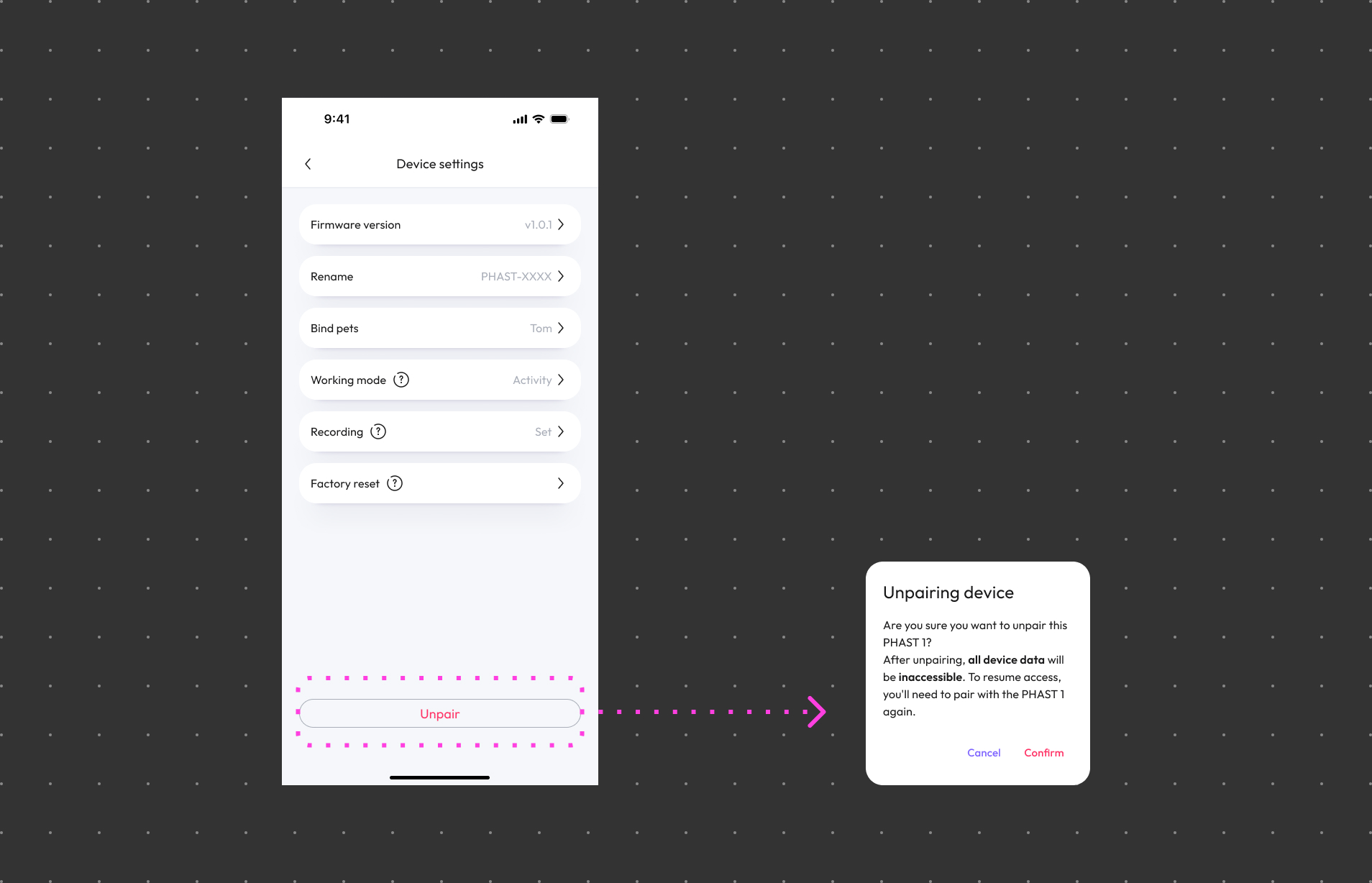
Tap User > Device Card > Settings
Initiate Unpairing:
Look for an option labeled Unpair. Click on this option.
Confirm Unpairing:
The system will prompt you to confirm whether you want to unpair the device. Once confirmed, the device will be unpair from your account in the WAGGURACY app.
Important Tips:
- Once you've completed these steps, the device will no longer be bound with your account.